MLOps Components
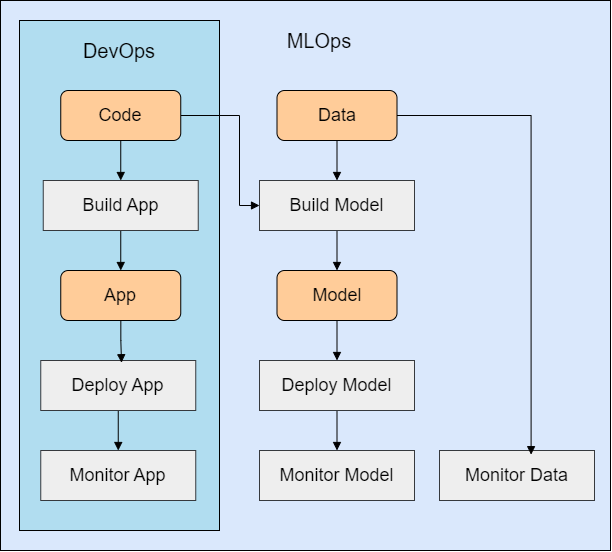
Integration with DevOps
MLOps automates the lifecycle of machine learning models, from development to deployment and monitoring. It builds on DevOps but adds machine learning workflows and data management.
- Uses workflows, pipelines, and artifacts.
- Includes ML-specific components (model registry, feature store, and metadata store.)
Workflows
Workflows are sequences of tasks that process inputs into outputs, which can be automated using pipelines.
- Manual workflows – Require human intervention.
- Automated workflows – Fully scripted for efficiency.
- Pipelines – Automate workflows through structured scripts.
For more information, please see Automation Workflows.
Artifacts
Artifacts are the outputs of pipelines which essential for deployment.
- Catch-all term for any output of the development process
- Include trained models, logs, and reports.
ML Pipelines
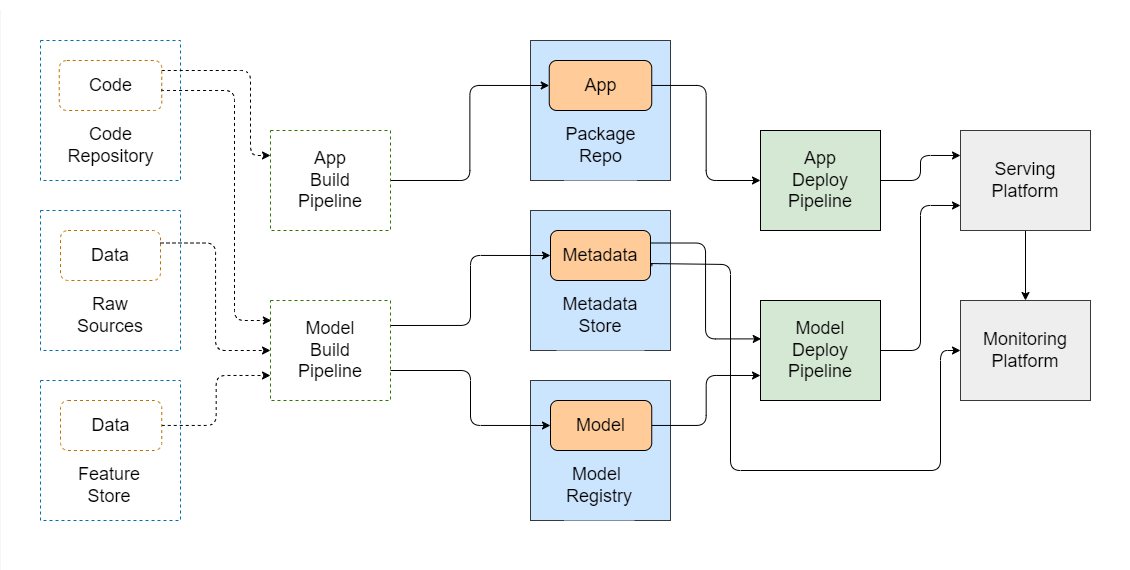
Build pipelines convert raw code and data into deployable models. In MLOps, there are at least two separate build workflows:
- Model build pipeline – Trains and outputs a model.
- App build pipeline – Packages the ML application that serves the model.
Build Pipeline
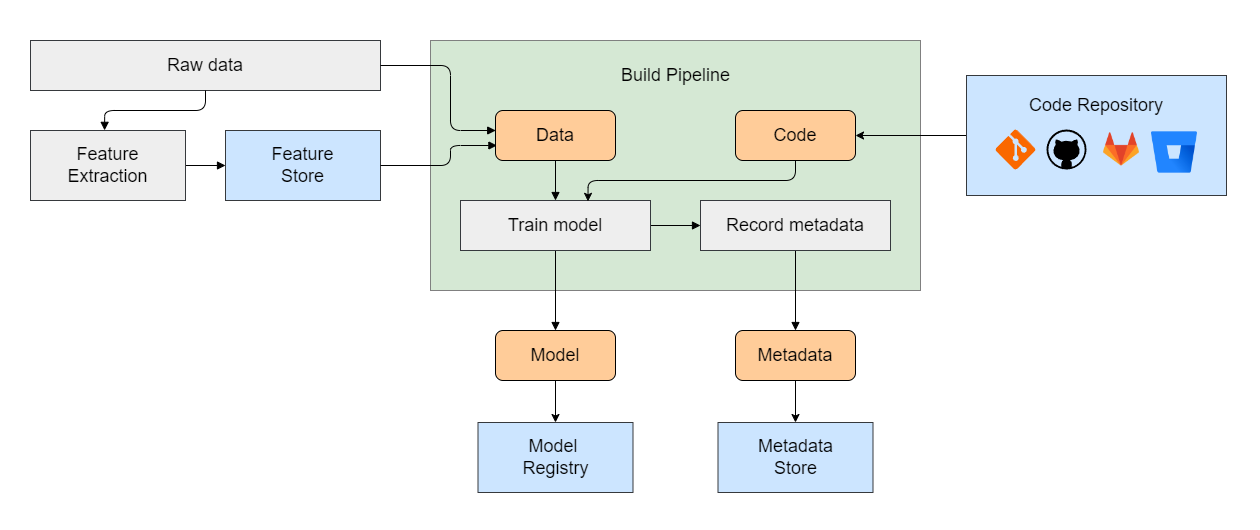
Also known as a Model Training Pipeline, the model build pipeline transforms raw data into a deployable model.
- Features – These are raw data or pre-processed data.
- Feature Store – A database that stores features for model training.
- Training Output – After running, the model and its metadata are produced.
The pipeline results in a trained model and complementary data for deployment, called model metadata.
- Model Registry – Stores and versions trained models.
- Metadata Store – Stores model details for deployment and lifecycle management.
By organizing the model and metadata efficiently, teams can ensure smooth deployment and manage the entire lifecycle of the model.
Deployment Pipeline
Once we have the models and app packages ready, the next step is deployment. This process involves moving the build artifacts to the target platform for serving.
- Deployment Task – Move the ML app and model packages to the serving platform.
- Service Start – Once deployed, start the service and monitor its performance.
After deployment, we can monitor the service to ensure it runs as expected and performs well.