7 posts tagged with "Technical"

View All Tags

A Shift in Mindset

· 9 min read

Draft from November 2021.

"And that, I think, is the real shift in thinking: When you shift from being a learner to a problem-solver.*

alt text

I realized that once you've finished a course, learned the basics, and started working on actual projects, you rarely go back and re-watch an entire section of the course just because it happens to be related to whatever issue you're troubleshooting.

Instead, you usually do one of two things.

You either:

a. Go through your own notes or documentation to see if you've encountered the problem before, assuming you trust your documentation enough, or

b. Take the much easier and quicker route and Google it, search Stack Overflow, or look for a similar use case on YouTube.

So I think structured courses are really useful during the discovery stage.

They introduce you to the technology, explain the terminology, show you how things are connected, and give you some idea of what you're actually dealing with.

But once you're trying to use that technology to solve your own problems, things become different.

At that point, instinct usually kicks in.

You Google the error and hope somebody has already asked the exact same question on Stack Overflow.

Or maybe someone uploaded a 12-minute YouTube video three years ago that somehow solves your exact problem.

Another thing I've noticed is that courses can become outdated pretty quickly, especially when technologies move at a really, really fast pace.

AWS Cloud computing examples come to mind (you can skip the list below if you don't care about the details):

  1. One day, EC2 limits are described in terms of a fixed number of instances per region.
  2. Later, the limits are based on the number of vCPUs you're allowed to run.
  3. One day, ZooKeeper is an important piece of the architecture you're studying.
  4. Later, newer versions of the technology start moving away from it entirely.

Sometimes the change is significant.

Sometimes it's just a button that moved somewhere else in the UI.

But when you add all those small changes together with everything else you're already trying to learn, they start becoming pretty significant.

One day, you might have several weeks to play around with this fascinating new technology you've just discovered.

Then tomorrow, someone tells you that you have two weeks to understand it and come up with a bare-minimum usable solution.

So yeah.

Things change pretty quickly.

I guess my point is that it took me almost four years, and honestly I'm still working on it, to shift away from the structured, college-style way of learning and adapt more to how knowledge is acquired in the actual industry.

When I say college-style learning, I mean the kind where you have a clear outline of what you're supposed to follow.

You start with the baby steps.

Maybe you fire up your first terminal.

Then you learn the commands.

Then the concepts get progressively harder.

Eventually, you reach the more complicated parts.

You usually know what you're trying to learn, what the problem is, and what you're expected to accomplish before moving on to the next lesson.

The actual industry doesn't always work like that.

Sometimes you're simply given a list of requirements.

And that's it.

Nobody gives you a neat list of all the technologies you need to learn beforehand.

It's up to you to figure out what tools you need.

Sometimes you aren't even given a clearly defined technical problem.

You have to figure out what questions need to be asked first.

Then you start searching for the answers.

I guess this falls under what people call ill-defined problems, where there isn't always one perfect or unique solution.

During my time at my previous job and now in my current one, I've learned a lot about how solutions are actually pieced together.

You might have help from a vendor.

You might have external professional services working with you.

You might have documentation, architects, engineers, and other teams involved.

But eventually you realize that solving problems isn't always as straightforward as it looks from the outside.

Some tasks suddenly become more important than others.

Something from the business side might come up halfway through the sprint.

A requirement changes.

A deadline moves.

A dependency suddenly appears.

And now you have to rethink which of the ten questions sitting in front of you actually needs to be answered first.

So the industry's way of learning can get pretty messy.

You search for whatever you need at that moment.

You try it immediately in your test environment.

If it works, great.

Maybe you start incorporating it piece by piece into your code or configuration.

Then you test it again.

Check the logs.

Run your unit tests.

Run OAT or whatever other validation process you have.

If everything looks good and nothing starts screaming in the logs, maybe it eventually finds its way into production.

Oh, and here's the fun part:

You need to have all of this done in four sprints or less.

No pressure.

Now, situations like this can introduce what we call technical debt.

This usually happens when you choose a quicker or easier solution today, knowing that you'll probably have to revisit or improve it later.

Is technical debt bad?

Yes.

No.

I don't know.

I guess the real answer is: It depends.

Sometimes you simply can't make something perfect.

Your solution might depend on a platform managed by another team.

A new version might change how your code behaves.

Another system could be updated.

Requirements could change again.

There will always be factors outside your control.

And sometimes getting a working solution out there lets you learn something that you would've never discovered by spending another month trying to make everything perfect.

The faster something fails in a controlled environment, the faster you can understand why it failed and improve it.

So in a strange way, we're constantly trying to find ways to break things safely so we can figure out how to make them better.

Wait. Where was I?​

Oh, right.

A shift in thinking.

I guess I've spent all this time trying to explain how structured learning differs from learning when you're already trying to solve a real problem.

So, should I stop taking courses and just focus on projects?​

No.

If something is completely new to you, you still need some sort of foundation.

And that's what courses are really good at.

They give you the basic tools that you might need later.

They show you what's possible.

They introduce you to the terminology.

They give you enough knowledge to at least know what to search for when everything eventually breaks.

Then, somewhere along the way, you start using those tools to answer your own questions.

Sometimes you'll keep using them.

Sometimes you'll realize that the tool you learned isn't actually the best one for the problem sitting in front of you.

So you drop it and learn another one.

And that's fine.

I am still confused​

Well, you're not alone.

I still haven't figured all of this out either.

I still have a ridiculous number of courses sitting on my laptop that I haven't finished yet.

And since time is a limited commodity, I've slowly developed my own strategy for learning things and actually applying them.

If my goal is to take a certification exam, I usually go through the course, do the labs, write down notes, and then prepare using practice exams.

Once I pass the exam?

I delete the course.

Yep.

No hesitation.

At that point, I know I'm probably not going to sit down and re-watch the whole thing again.

If I eventually need to use the technology for a project and I run into an issue, chances are I'll just search for the exact problem anyway.

And honestly, I like it better that way.

Instead of going back through hours of videos, I can search for exactly what I need.

Kind of like picking apples.

You grab the ones you need and leave the rest of the tree alone.

The important part is that during the discovery and review stage, I used the course to build some sort of foundation.

I learned enough to know the terminology.

I learned enough to understand the basic concepts.

And hopefully, I learned enough to recognize what I don't know.

Then comes the application stage.

That's when I start relying more on my own tools.

My notes.

Documentation.

Experiments.

And, of course, my Google-fu.

Currently, I'm preparing to take the RHCSA next year.

So by then, I'm expecting most of the RHEL-related courses sitting on my hard drive to be completely gone.

By deleting them, I'm also forcing myself to think on my own instead of constantly going back and copying the exact steps an instructor followed.

If I want to remember how I did a lab, I check my notes.

If it's not in my notes, there's a good chance it's somewhere in the official documentation.

And if it's not there?

Well.

Google probably knows somebody who knows.

Okay, I think I got it.​

If you did, then you're probably already one step ahead of me.

Again, I don't have all the answers.

Half the time, I don't even know what the right questions are yet.

But I expect to figure out more as I keep going.

I'll do more labs.

I'll break more code.

I'll tail more logs.

I'll try solutions that don't work.

I'll eventually find ones that do.

Then I'll document what happened so maybe I don't have to suffer through the exact same problem twice.

And somewhere along that process, something changes.

You stop just asking: "What should I learn next?"

And you start asking: "What do I need to solve this?"

That, I think, is the real shift in thinking.

When you shift from being a learner to being a problem-solver.

And maybe, after you've solved enough problems, you eventually move into another kind of learning altogether:

Passing what you've learned on to someone else.
The Examination Day

· 7 min read

Sharing my notes and thoughts about the AWS SysOps Administrator Associate Exam.

alt text

Before anything else, I'd like to say that it is extremely helpful to take the AWS Solutions Architect Associate Exam first before diving into the other two Associate exams, SysOps Associate and Developer Associate.

Taking the Solutions Architect exam first gives you a good sense of how the different AWS services work, how they connect with each other, and how they're used when building solutions.

Just like with any skill, I think it's important to start with the basics.

Learn the theory.

Play around.

Break things.

Then try to fix them afterward.

Once you have a good grasp of how solutions are architected, you can start learning how to operate and maintain them.

And that's where the AWS SysOps Administrator Associate comes in.

alt text

For a bit of background, I started my career in IT networking, where I handled routers, switches, and network management tools.

I also had a short stint in application support at a FinTech company, and in my previous job I had the chance to work with Linux servers as well.

All in all, I'd say I'm more of an infrastructure guy with a bit of programming mixed in.

I'm still very much a work in progress, though.

There are definitely a lot of technologies that I still have to learn, so I've been trying to expose myself to as many Linux and Python projects as possible.

Automation is still a relatively new concept to me, but I'm slowly getting more comfortable creating my own scripts and processes.

alt text

My AWS journey actually started with the AWS Cloud Practitioner Exam last August.

Then, 29 days later, I sat for the AWS Solutions Architect Associate Exam.

After that, I set my sights on SysOps.

Unfortunately, there were other things at work that needed my attention at the time, so I had to park my SysOps studies for a while.

I resumed reviewing around January to February and decided to start posting my notes on my GitHub account.

Around the same time, I also had some personal challenges brewing at home, which slowed me down for a bit.

Still, I tried to gather myself, push through with the mission, and set a goal to take the exam by March.

Little did I know that I'd end up pushing it back for another two months.

On my first attempt, I ran into problems with my internet connection, and the proctor cancelled the exam while I was waiting for the test window to load.

I had already taken several online certification exams through Pearson VUE before, but this was the first time an exam was closed without the proctor informing me first.

I reported the issue, and after about four days, they refunded both the exam fee and the voucher I had used.

Since I was a bit tight on budget, I waited for the refund to come through before scheduling my second attempt.

Then came May 24.

I prepared my desk at home, cleared my mind, and sat down for the exam.

I was honestly praying hard for everything to work properly this time because I had already spent so much time preparing for it.

After around 48 minutes, I submitted the 65th question.

A few more clicks later, the result finally flashed right in front of me.

RESULT: PASS

And man, that's some sweet-tasting bacon.

Notes that might help you​

Of course, there's a good chance you found this post while searching for notes and tips on how to prepare for the AWS SysOps Administrator Associate Exam.

So yeah, I'm putting those here too.

You can find my GitHub notes here.

Be sure to check out the summary notes as well.

For the materials, these were the ones I focused on:

How to start​

I'd suggest starting with either Stephane Maarek's course or Neal Davis's course.

Honestly, you should already get a lot out of finishing just one of them.

I went through both because they have slightly different approaches, and I liked the idea of having one course fill in whatever details I might have missed from the other.

But don't just watch videos.

Make sure you actually spend time inside the AWS console.

I think it's a definite must to become familiar with the different tabs, options, menus, and settings because actually seeing and using them helps cement the concepts you're learning from the courses.

And besides simply following the labs, try breaking some of the things you've built.

Seriously.

Break them.

Then figure out how to fix them.

That way, you're not just memorizing steps from a tutorial. You're also training yourself to troubleshoot, search through documentation, and put your Google-Fu to good use.

Once you've finished the course and you're comfortable moving around the AWS console, you can move on to practice exams.

You can try the practice exams from Maarek and Davis, which are also available on Udemy, and pair them with the practice tests from Tutorials Dojo.

One thing I really liked about the Tutorials Dojo exams is that each question comes with an explanation of both the correct and incorrect answers.

Don't just memorize which option is correct.

Read the explanations.

Understand why one answer works and why the others don't.

There are questions where more than one answer might look reasonable at first, so understanding the differences between the choices is really important.

Lastly, supplement the courses and practice tests with the official AWS documentation.

Of course, you won't be able to read every single page of documentation for every AWS service.

You'll probably lose your mind trying.

But reading the official docs for the services and concepts you're struggling with can definitely help fill in the gaps.

FINAL THOUGHTS​

I actually thought about putting this section at the very top because I think this is something you should figure out before you even start studying.

Ask yourself all these questions.

Why do you want to take the exam?​

Maybe it's for career progression.

Maybe you want to learn a new skill.

Maybe you're trying to break into a cloud role.

Maybe you're just genuinely curious about AWS.

Whatever your reason is, I think it's important to know it because that reason will shape how you approach the whole learning process.

Do not go through the exam just for the sake of getting the certification or the badge​

A certification is nice to have, but in any cloud role, you'll eventually have to back it up with actual skills and experience.

And the only real way to do that is to build something.

It doesn't have to be huge.

It doesn't have to be some crazy production-ready architecture with twenty AWS services.

Just build.

Break things.

Fix them.

Try something again.

Get your hands dirty.

I'm still on that same quest myself, trying to expose myself to as many cloud technologies as possible.

And it'll be great to have more people jumping on the same train ride.

Learn for the sake of learning​

Learn because you're extremely curious about something.

Learn because there's something you don't understand yet and you want to figure it out.

If you can keep that mindset, I think you'll go a long way in whatever endeavor you decide to pursue.

Now, happy learning!

The 100: Days Later

· 8 min read

Hi there. If you're reading this, then that probably means you're one of the hundred people looking for some motivation right now, and somehow you ran into the inspiring image of this article.

Then you read the title and found yourself wondering what this awesome blog is all about.

alt text

Well, before anything else, I just want to point out that this isn't about the thrilling sci-fi series The 100.

Although I'd still suggest checking it out. You'll definitely get drawn into the post-apocalyptic vibe, how mankind tries to rebuild society, and the way the series challenges your reasoning about leadership and making choices when there are barely any good options left.

Honestly, I only really started enjoying it around the fourth episode.

Then somehow I found myself cheering by the finale of Season 5.

Fun fact: Episode 1 of Season 5 is titled "Eden".

alt text

Anyway, where was I again?

Oh yeah. What this awesome post is actually about.

Okay, quick backstory.

I started the #100DaysOfCode Challenge last November 6, 2020, and I'm proud to say that today, I've done it.

I've completed the 100 days.

So what the heck is this really about?​

I've been reading different blogs from developers online, and I've seen the #100DaysOfCode Challenge being mentioned a lot.

The idea is actually pretty simple.

You code consistently for 100 consecutive days and post your progress on Twitter or whatever social media platform you're using, together with the tag #100DaysOfCode.

There aren't really any strict rules about which programming language you should use or what kind of projects you should build.

You just have to keep doing something every day for 100 days.

Being the adventurous lad that I am, I gathered all the courses I wanted to study, made a list of everything I wanted to accomplish, and started Day 1 on November 6 last year.

I even wrote a post about it back then, which you can read here.

alt text

I was full of spirit during the first few weeks.

I eagerly followed tutorial videos and worked through the labs in Coursera's Git for Developers using Github, moved on to Todd McLeod's primer on Visual Studio Code, and then started working my way through Al Sweigart's popular Python course, Automate the Boring Stuff with Python.

I was actually able to get access to all these courses for free through various Udemy coupons and a government-sponsored Coursera study program.

So yeah, that definitely helped.

The Uphill​

Of course, there's that nice spike of satisfaction whenever you finish a quiz, lab, or checkpoint in a course.

You finally get the answer right.

You finish the exercise.

You see that little green checkmark.

Life is good.

Then there's the other side of it.

You reach one particular lab that you just can't get past because it's too damn hard.

You spend hours trying to figure it out, decide to sleep it off, wake up the next morning, open the exact same lab...

And you're still stuck.

Just on a different day.

alt text

Rabbithole​

Another thing I found tiring was dealing with unexpected problems.

Whenever I ran into something that didn't work, I'd search the error on Google, open the first three to five links, and start trying the suggested solutions.

Sometimes one of them worked.

Most of the time, one solution would just give me a completely different error message.

So naturally, I'd search for that new error too.

Then I'd read another few links.

Watch a YouTube video.

Try another command.

Get another error.

Search again.

And before you know it, you've gone deep into a rabbit hole.

You originally wanted to solve one tiny problem, but somehow you've uncovered five other problems along the way.

You get to see the rabbit hole, but you never really reach the end of it.

alt text

But you know what?

Something good actually came out of all that rabbit hole-digging.

I started noticing when the new problems I encountered were slowly pulling me away from the actual problem I was trying to solve.

And when that happened, I learned to stop, reorganize my thoughts, and ask myself whether I really needed to keep digging.

One example was when an instructor in a KodeKloud course was installing Docker on his Ubuntu machine while I was using a RHEL 8 EC2 instance.

I ran into an error while using one of the convenience scripts from Docker's website.

I honestly can't remember the exact error anymore.

But I had a feeling that it might have something to do with RHEL 8.

I never actually confirmed whether that was the reason because, instead of continuing to Google the error, I decided to check if AWS had a RHEL 7 AMI available.

Unfortunately, it didn't.

So I tried CentOS instead.

And what do you know?

Everything worked.

So yeah, I guess after a while you somehow develop this weird superhuman sense for detecting when a problem is about to lead you into an endless rabbit hole of error messages.

Then you decide whether it's worth continuing down that path or if there's another way to get where you need to go without wasting another three hours.

By the way, somewhere along the way I also learned about the term technical debt.

Although I wouldn't really say it applies to every situation like this.

What I did learn is that technical debt is something you shouldn't just allow to pile up forever because eventually it'll come back and bite you in the bum.

I might still do some light searching someday to figure out why that Docker convenience script didn't work on RHEL 8 after all.

You know, for closure.

Reality setting in​

A few weeks passed, and eventually I hit my first downtime.

I was still doing the labs, but I wasn't finishing nearly as many as before.

There was a lot going on at work at the time, and the additional mental strain of doing labs and studying on the side was slowly starting to take its toll.

So I reduced my activities for a few days.

As much as I wanted to just stop and rest completely, that little f*cker inside my head simply wouldn't let me abandon the challenge.

I also wasn't able to follow the original plan I made during Day 1.

For example, I never ended up taking another Web Design Course because I decided to focus more on automation instead.

The second and third months became a bit of a rollercoaster.

In total, I had around three periods where I really slowed down.

And I have to admit, there were plenty of doubts throughout those 100 days.

There were moments when I genuinely wondered whether anything meaningful would come out of all the effort I was putting in.

Maybe I was wasting my time.

Maybe none of this would actually help me.

Maybe things wouldn't pan out the way I hoped.

And weirdly enough, I didn't try to completely shut those thoughts out.

I entertained them.

I let them sit in my head.

But somehow, there was this stubborn version of me that simply refused to throw in the towel.

And you know what?

He managed to beat those fears every single time.

alt text

To close this chapter​

Now that the 100 days are finally over, I went back through all my tweets from the beginning and allowed myself to relax for a bit.

I know I didn't produce a huge number of projects.

But looking back, I did learn a lot about Linux, Python, Git, automation, and even just how I approach problems in general.

And weirdly enough, after everything, the 100 days actually felt too short.

Which is why I've decided to go on another quest.

Round 2 of the #100Days Challenge.

Except this time, I'm taking on two challenges at once:

  • #100DaysOfCode
  • #100DaysOfFit

The #100DaysOfCode will basically continue where the first round left off, but this time I'm limiting myself to topics that are more relevant to what I'm currently doing at work:

  • Apache Kafka
  • Docker and Kubernetes
  • Using Python for automation
  • AWS SysOps, although this one's more of a personal goal

Then there's #100DaysOfFit, which is actually two smaller challenges that I decided to merge into one quest:

  • 100 Days of Fasting: consistently fast for 16 hours
  • 100 Days of Running: run for at least 30 minutes, either outdoors or on a treadmill

Again, I'm not expecting everything to go smoothly for the next 100 days.

It'll be difficult.

It'll probably get overwhelming every now and then, especially when life decides to step in.

I'll probably get stuck on another problem.

I'll probably spend entire evenings buried in documentation.

And there will definitely be days when I'm too lazy to read and decide to watch YouTube videos instead.

There will probably be a lot of questions as I start again.

But hopefully, there'll also be fewer what-ifs waiting for me at the end.

"You can. You should. And if you are brave enough to start, you will."

  • Stephen King

Killing a defunct process

· 4 min read

alt text

I encountered this while trying to install htop on one of my test RHEL EC2 instances. I was following the steps from this guide.

This also led me into learning a little more about defunct, or zombie, processes in Linux. You can read more about them here.


What happened​

I had two terminals open, both connected to the same EC2 instance.

On the first terminal, I was running:

yum update -y

While the update was still running, I tried installing another package from the second terminal.

That gave me this message:

Running transaction check
Waiting for process with pid 5941 to finish.

So I checked what process was using PID 5941:

$ ps -ef | grep 5941

root 5941 5939 18 06:00 pts/0 00:01:42 yum update -y
root 36173 36153 0 06:09 pts/2 00:00:00 grep --color=auto 5941

Sure enough, PID 5941 was the yum update process running on my first terminal.

Since the update was taking some time, I decided to cancel it so I could install the packages I needed first and then run the update again afterward.

But when I tried installing the package again, I still got the same message referring to PID 5941.

Checking the process again showed something different:

$ ps -ef | grep 5941

root 5941 5939 18 06:00 pts/0 00:01:42 [yum] <defunct>

The yum process was now marked as <defunct>.

Naturally, my first thought was:

kill -9 5941

Problem solved, right?

Not quite.

The process still appeared as <defunct>.

What does <defunct> mean?​

A process marked as <defunct> has already finished running.

In other words, there is technically nothing left to kill.

When a child process exits, its parent process is supposed to collect its exit status. Until the parent does that, Linux keeps a small entry for the child process in the process table.

That leftover entry is what we call a zombie process.

And when you run ps, zombie processes are commonly displayed as:

<defunct>

This is also why running:

kill -9 PID

doesn't remove it.

The process is already dead. SIGKILL has nothing left to kill.

What to do​

First, find the parent process of the defunct process.

You can use:

$ ps -ef | grep defunct

UID PID PPID C STIME TTY TIME CMD
root 5941 5939 6 06:00 pts/0 00:01:42 [yum] <defunct>
eden 36210 6097 0 06:24 pts/2 00:00:00 grep --color=auto defunct

The important columns here are:

PID PPID
5941 5939

5941 is the zombie process.

5939 is its parent process.

Before killing anything, it's a good idea to check what that parent process actually is:

ps -fp 5939

If the parent process is something that can safely be terminated, you can try stopping it normally:

sudo kill 5939

Then check again:

ps -ef | grep defunct

If the parent refuses to terminate and you're sure it's safe to kill, you can use SIGKILL as a last resort:

sudo kill -9 5939

Once the parent process exits, the zombie should normally be adopted and cleaned up by another process such as init or systemd.

One thing to remember​

Don't immediately run kill -9 against every process you see.

Especially when you're dealing with parent processes, always check what the process is first:

ps -fp <PPID>

A defunct process itself isn't actually consuming CPU or actively running. It's mostly just an entry waiting for its parent to acknowledge that it has already finished.

So if you ever see:

[process] <defunct>

remember:

The process is already dead. The real thing you need to investigate is its parent.


References​

Day 1 - Where to start?

· 8 min read

alt text

DAY 1 - Where to start?

The #100DaysOfCode challenge has been one of those goals that I've pushed back several times in the past, either because of time constraints or some looming workload I had to deal with.

There were actually a few times when I started the challenge, only to stop after a week because, well, I simply didn't know enough yet.

What I mean is that my way of learning was never really structured. Instead of going through the fundamentals of a skill, I would usually jump straight into whatever was necessary to solve the problem in front of me.

And sure, that's an efficient way to get things working quickly. But it's not really sustainable. Eventually, the lack of foundation catches up with you.

You might manage to solve one problem, but once something breaks again, you suddenly realize you don't fully understand why the solution worked in the first place.

You just cannot skip the process​

alt text

Another thing that has always gotten in the way is my own thought process.

I was younger then, with little experience but a lot of excitement and tenacity to jump into challenges without first going over what was actually needed.

I'm telling you, as a kid, it was fun to just tackle whatever the world threw at you because, well, that's how kids deal with things. No BS. No need to complicate things. Just plain fun.

But as an adult (or at least a 20-something adult) you can't always just grab a problem and try to solve it without examining it carefully first. For one thing, there are consequences to our actions.

No matter how small we think an effect might be, the real problem starts when those effects begin to cascade and roll downhill like a snowball on a steep mountain.

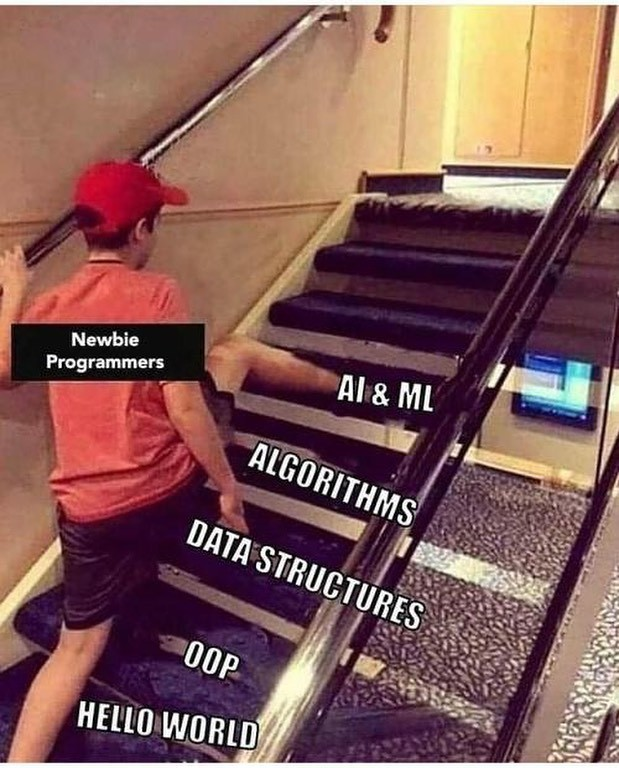
One day, you think you don't need to learn data structures and algorithms because you've already managed to put together a script patched from several sources on the internet.

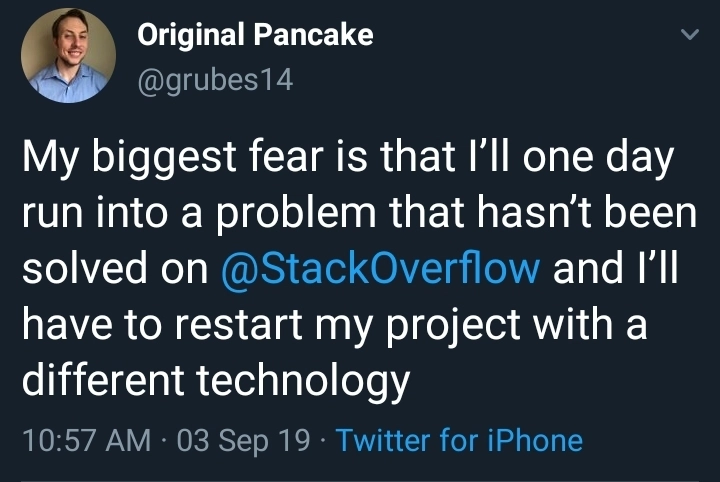
Then the next day, you come face-to-face with a problem that nobody has asked on Stack Overflow yet.

alt text

You just cannot skip the process.

It might feel like it takes more time to properly learn something, but hey, you don't move mountains using brute force. Instead, you break Everest into its smallest pieces and move it one stone at a time.

Moving places​

I've hopped into positions where I was either only partially qualified or, honestly, not qualified at all.

I guess it was the eagerness and tenacity that helped me get those jobs, but I've learned that the basics always come back eventually. You'll be troubleshooting some issue, and suddenly you're back on the internet searching for the fundamentals again.

Alright, maybe I'm exaggerating a little when I say that I never bothered learning the fundamentals of anything.

I did start from the very basics of networking when I re-learned everything while studying for my CCNA last year. It was actually a fulfilling experience to properly understand subnetting, how networks work, and how routing allows data to reach its destination.

But I also know that networking is just one of the foundations an IT professional should have.

And as I discover more about the world of DevOps, I've come to accept that networking alone isn't enough if I really want to succeed as a DevOps or cloud engineer.

Which is why I started learning Linux last February.

That turned out to be pretty useful when I moved to my current job, where I handle some of our network management systems. Those NMS tools are all hosted on Red Hat 7 Linux servers, which I've been lucky enough to play around with.

Well, mostly on the lab servers.

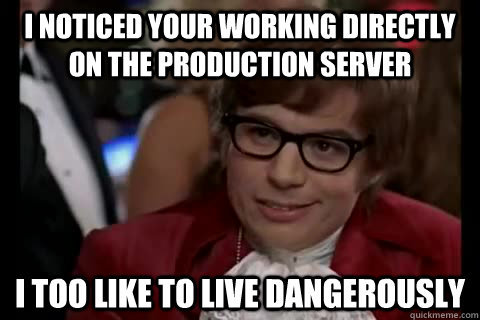
Practicing on production servers is obviously a BIG NO.

alt text

Alright, I guess that's enough of the story, and the memes.

I've already spent about an hour researching what I'll focus on for this challenge and, of course, looking for the awesome memes I'll put in here.

So far, I've narrowed my checklist down to this:

  1. Standardize my naming conventions - Yeah, I know this sounds like a pretty trivial thing, but I think it'll help in the long run, especially if I ever come back and look through my earlier files.

  2. Linux - I still consider myself relatively new to Linux, but I'm definitely more comfortable working on Linux servers and my Linux VMs now. It's only been a couple of months since I first really dove into Linux, so there's still a lot to learn.

    Another good playground for Linux is KodeKloud. Head over to www.kodekloud-engineer.com, set up an account, and try completing your first System Admin task.

  3. Git - I already have a Git account, and I've learned how to work with my local repositories, but what I don't really know yet is how to properly work with GitHub.

    So yeah, Day 1 is for Git and GitHub.

    For this, I'll be using a Coursera Guided Project called Git for Developers Using GitHub, which you can find here:

    https://www.coursera.org/learn/git-for-developers-using-github/

  4. Python - With so many languages to choose from, I decided to lock myself into Python for, I guess, the first 50 days.

    This will include solving problems on HackerRank and actually working on projects.

    Python is a language that's pretty close to me because I've had this on-and-off relationship with it for a while now. There are periods when I'll focus intensely on doing Python stuff, and then suddenly stop because there's another workload I need to deal with or because I'm preparing for another certification exam.

    This time, I want to be more consistent.

    I'll be using the Google IT Automation with Python Professional Certificate on Coursera:

    https://www.coursera.org/professional-certificates/google-it-automation

Google IT Automation with Python Professional​

To start re-learning Python the proper way, I'm beginning with the Google IT Automation with Python Professional Certificate on Coursera, which is composed of six courses.

The site suggests that it can be completed within eight months if you spend around four hours per week studying.

Since I plan to work on this every day, including weekends, and because I normally watch the videos at 2x speed, I'm aiming to finish the entire professional certificate in around two months.

What I really want to spend more time on, though, are the practice challenges.

Now, this is still a rough plan.

If you've read the Python section above, this is only what I'm planning for the first half of the 100 days.

For the second half, I intend to work on web development stuff.

You might say that 50 days is too short to finish that course.

And yeah, you're probably right.

I'll just finish whatever I can between Day 50 and Day 100. Whatever is left, I'll continue during my next #100DaysOfCode.

To sum it all up, I guess this #100DaysOfCode challenge is really more of a consistency challenge for me.

I'd like to fully commit myself to something and keep going until I reach some level of mastery.

Of course, it'll take way more than 100 days to become an expert at something. But I think these 100 days can at least put me on the right path.

Also, I'm still not really sure where I'll be posting all of this since I only recently started Twitter and Instagram accounts.

I guess I'll use both.

The problem with Twitter is the character limit, so I might have to break the posts into parts, maybe post the first half as the main tweet and continue the rest in replies.

Or I could just cross-post everything to dev.to or Hashnode.

My only concern is whether all the images I put here will display properly when I post on those platforms.

As for Instagram...

Yeah, I haven't really figured that one out yet.

And one last thing: my succeeding posts or tweets will probably be a lot shorter than this one. They'll mostly just be updates on how the challenge went that day.

Then maybe at the end of every month, I'll create a longer summary as a checkpoint and post it on dev.to, Hashnode, or freeCodeCamp.

Alright.

So, Day 1. Where to start?

Yeah.

Git.

Programming is easy, ain't it?

· 8 min read

My take on how I approach the idea of programming. I've also included some of the core concepts that I think everyone should know when they're starting to dive into coding.

To start with, I want to say that you made the right choice opening this post.

alt text

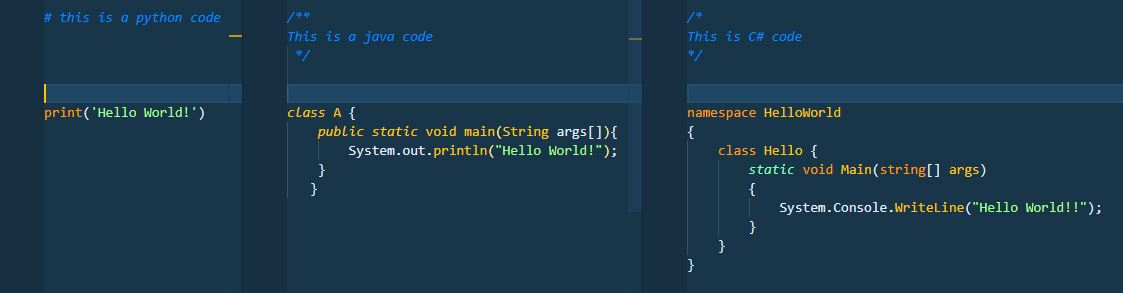
You might be someone who's been dabbling with code since you were little, or maybe you're someone who just wandered through a bunch of interesting links on Google and somehow found yourself craving more nuggets about programming.

Either way, there's probably still one thought, or rather one question, sitting somewhere in your mind:

Is programming really easy?

Well, let's try to answer that question once and for all.

Programming is relatively easy.

Say it with me.

Yes, for the most part, programming is basically putting together keywords and instructions into lines that the computer can understand, then moving on to the next line.

Kind of like forming a sentence.

But is it really just that?

Think about how you form a sentence in English. There are certain rules you have to follow. You have to think about which tense to use, whose point of view you're writing from, where words should go, and which punctuation mark should end the sentence.

Programming works in a similar way.

You have a set of rules, a vocabulary, and a structure that you need to follow.

Of course, there are a few other core concepts you should understand before you start building your own programs.

What's the word?​

When you're first learning a new language, let's say Nihongo, you might have this reaction the first time you come across Kanji:

alt text

Looks complicated, must be complicated.

But it's really not that difficult once you take the first few steps and start learning the basics.

Everything can be confusing and frustrating when you're doing it for the first time. But once you start breaking down the individual pieces and understanding how they work together, things slowly begin to make sense.

And eventually, it becomes easy peasy.

What came before​

Regardless of which programming language you're trying to learn, you'll notice that many of them share similar ideas.

Programming languages are usually created to solve certain problems, introduce new ways of doing things, or improve on limitations found in languages that came before them.

Because of that, newer languages often borrow concepts, techniques, and even syntax from older languages.

They won't all work exactly the same way, of course, but once you've learned the fundamentals of one language, you'll probably recognize a lot of familiar concepts when you move on to another.

So I guess you could say that programming languages speak differently, but many of them think in similar ways.

At their core​

As I've mentioned, many programming languages share the same basic concepts. The main difference is often how those concepts are written or implemented.

Here are some of the things you'll encounter almost everywhere.

  • Syntax

    Remember that every language has its own rules.

    These rules might be influenced by earlier languages, but each language will still have its own way of writing instructions.

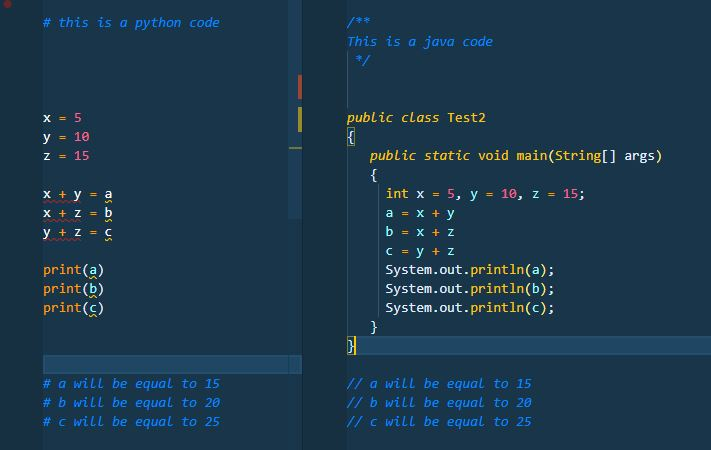
    alt text

    When you first read the title of this post, you might have had this tiny feeling that something was a little off about how it was written.

    If you did, then congratulations. You already understand the basic idea of syntax.

    Syntax is basically the set of rules that tells you how something should be written.

    Now, programming is indeed easy, isn't it? 😄

  • Variables

    The main idea behind variables is associating a value with a name.

    Think of a variable as a labeled container where you can store information and use it later.

    These values can be changed, passed around, compared, calculated, printed, and used throughout your program.

    For example, instead of repeatedly writing a person's age as 25, you could assign that value to a variable called age.

    From that point on, your program can simply refer to age whenever it needs that value.

    alt text

  • Printing

    Printing is basically telling your program to display something as output.

    This could be the result of a calculation, the value stored in a variable, a message, or pretty much anything you want the user or programmer to see.

    You might hear programmers say something like:

    "The code returned this value."

    What they usually mean is that after the program processed its instructions, it produced some sort of result.

    But programs don't always display those results automatically.

    Sometimes the calculation is happening quietly in the background, and if you want to see the result, you need to explicitly tell the program to print or display it.

    You've probably already seen a glimpse of this in the example for variables above.

    alt text

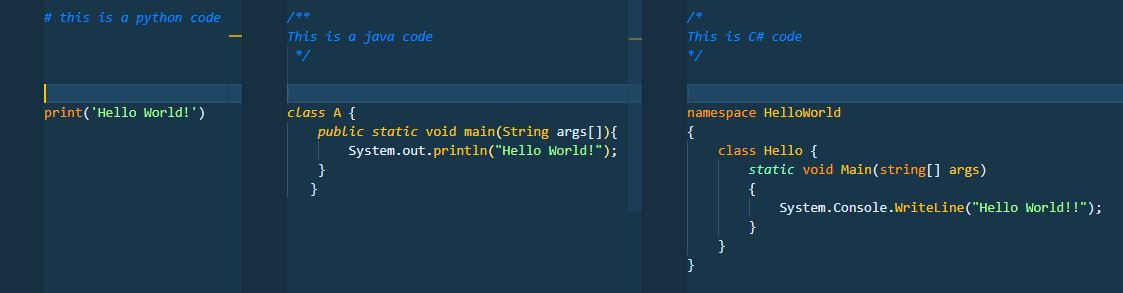
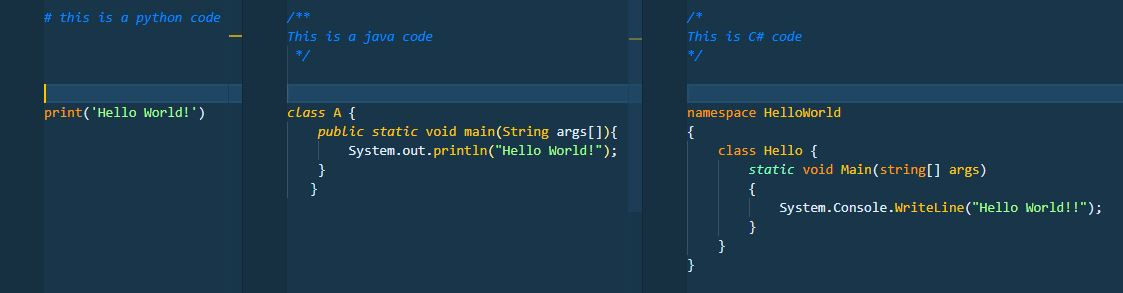
  • Comments

    Comments are notes that programmers leave inside their code.

    Their purpose is to explain what a certain section does, why something was written in a particular way, what a variable represents, or anything else that might be useful to someone reading the code later.

    And yes, that someone could very well be you six months from now wondering:

    "Why the hell did I write this?"

    Comments aren't processed as instructions by the program.

    Different programming languages have different ways of marking comments.

    In Python, for example, you can put a # at the beginning of a line to tell Python that the line is a comment and should not be executed.

    alt text

  • Strings

    Earlier, we talked about comments and how Python recognizes a line beginning with # as something that shouldn't be executed.

    But what if you actually want your program to work with words or sentences?

    That's where strings come in.

    A string is basically text stored as data.

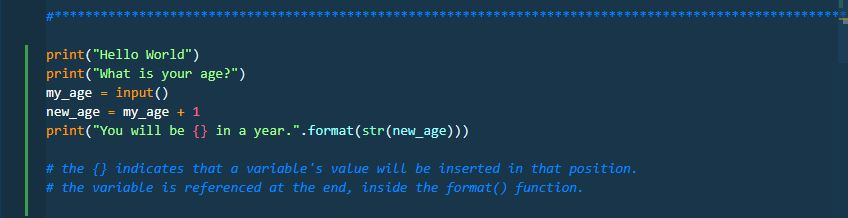
    alt text

    When you assign text to a variable, you'll normally wrap it in quotation marks so the programming language knows that it's dealing with text rather than another instruction.

    You can also combine strings with other values through formatting.

    For example, if you have a variable containing someone's name, you can insert that value into a sentence rather than writing the name manually every time.

  • Arrays

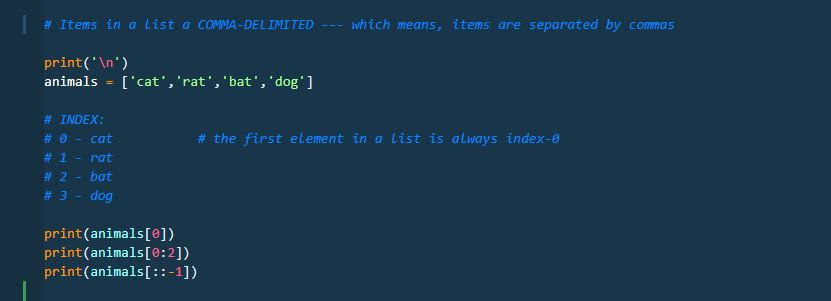
    An array is basically a collection of values grouped together.

    Instead of creating a separate variable for every single piece of information, you can store several related values in one collection.

    Depending on the programming language, collections like these can contain numbers, strings, objects, or even other collections.

    Python, for example, commonly uses something called a list for this purpose.

    alt text

    Another important thing to understand is that values inside these collections have positions.

    So if you only want one particular value, you don't necessarily have to retrieve everything. You can refer to its position, usually through something called an index.

    For example, if you have a list containing five names and you only need the first one, you can access that specific item directly.

    And here's one thing that might feel strange at first:

    In many programming languages, counting starts at 0 instead of 1.

    Welcome to programming.

Wait, there's more​

At this point, hopefully you have a better idea of why I say programming is relatively easy.

A lot of people focus immediately on the question:

Which programming language should I learn first?

And that's perfectly fine.

But I think what's more important is understanding the concepts that programming languages have in common.

Once you understand ideas like variables, syntax, strings, collections, conditions, loops, and functions, moving between languages becomes much less intimidating.

The syntax might change.

The keywords might change.

But the general ideas are often still there.

If you'd like to learn more about some of the things you can explore before diving fully into programming, you can check out Evan Kimbrell's Udemy course, Pre-Programming: Everything you need to know before you code.

You can absolutely jump straight into whatever programming language you're interested in.

But if you're someone who's non-technical and you've only recently developed an interest in programming, I think learning some of these basic ideas first can make the whole thing feel a lot less overwhelming.

Because programming itself isn't really the scary part.

The difficult part is usually figuring out what you want the computer to do and breaking that problem down into instructions it can understand.

Once you get used to doing that, the code starts making a lot more sense.

As always, happy learning!

Thinking like a Developer

· 3 min read

alt text

Ask the Right Questions​

When given a problem, make sure to ask the correct questions. You may not have all the questions at the beginning since you don't have all the facts yet, but as you gain more experience, you will develop a sense of how projects should be started and eventually you will come up with a set of common questions to ask when provided with some business requirements.

Example:

Project Manager tells the team:

We need a function that reverses whatever we passes onto it.

The common questions to ask:

  • What does "whatever" mean?

    What needs to be reversed? In the context of data structures, only:

    • strings
    • numbers
    • arrays

    Dictionaries doesn't have a well-defined order and they don't have indexes, so they can't be reversed. The following cannot be reversed:

    • Dictionaries/Objects
    • Boolean
  • What to do if something else is passed in?

    How should we handle inputs which are not strings, numbers, or arrays?

  • What should be returned by the function?

    Should it always return a string? Should it return the same type as the input?

Divide and Conquer​

Break a big problem to digestible chunks/smaller problems so it's much easier to solve. We can also understand a problem better when we break it apart.

Using the previous example, the steps to break the problem to smaller sub-problems:

  • Check if argument is a string, a number, or an array
  • Implement reversing a number
  • Implement reversing a string
  • Implement reversing an array
  • Return a reversed value

Do as much research as you have to​

At the beginning, we should always try to solve the sub-problems on our own using our own abilities. However if you keep hitting obstacles, it is recommended to find external sources, such as Google or Stackoverflow.

In reality, you'll normally go straight to Google and see if there is an existing solution to your problem.

Write Pseudo-code​

For bigger problems, it is helpful to write some sort of pseudo-code before writing the actual code. A pseudo-code is an informal description of the actual code. An example is:

function reverse(value)

if type(value) == string
reverse_value = reverse string
return reverse_value

else if type(value) == number
reverse_value = reverse string
return reverse_value

else if type(value) == array
reverse_value = reverse string
return reverse_value

else
return "Invalidy input type"

From here, you can use your preferred language like Python and follow this flow to create the function.

The Debugging Process​

  1. Identify the Bug

    Becoming aware that there is a bug. Discovering the bug can happen:

    • During development
    • Testing software
    • Context: browsers, users, etc.
    • User reports during production (worst, went live undetected)
  2. Find the Bug

    Isolating the part of the code where the bug is found.

    • Isolate through developer console
    • For complex bugs, use debugger software
  3. Fix the Bug

    Correct the bug, ensure this bug doesn't exist anywhere else in the code.

    • Replace existing solution with working solution
    • Search for the bug in similar code
    • Write tests using testing software